
Free tool · Prices for 109 countries · Updated November 2026
Phone Finder: Find the Right Phone by Price and Specs
This phone finder shows every phone we cover with its price in your own currency. Filter by budget, brand, camera, battery, charging speed and 20 more specs, then compare up to 3 phones side by side. Not sure where to start? Tap Help me choose and answer 3 questions.
- 109 countriesPrices in your own currency
- 22 filter groupsFrom budget to headphone jack
- Compare 3 phonesBest value marked in every row
- No sign-upFree, and your filters save in the link
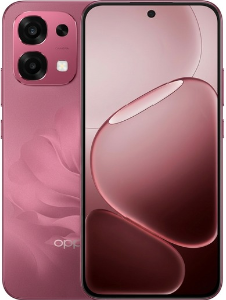 Best match
OPPO A6 Pro
8GB RAM | 128GB
- 6.57" OLED · 120Hz
- Helio G100
- 50MP
- 7,000mAh · 80W
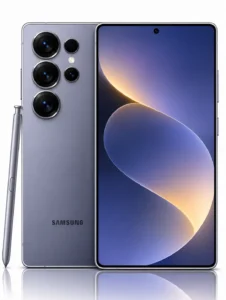 Best match
Samsung Galaxy S26 Ultra
12GB RAM | 256GB
- 6.9" OLED · 120Hz
- Snapdragon 8 Elite Gen 5
- 200MP · 5x zoom
- 5,000mAh · 60W
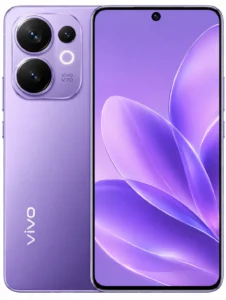 Best match
Vivo V70
8GB RAM | 256GB
- 6.59" OLED · 120Hz
- Snapdragon 7 Gen 4
- 50MP · 3x zoom
- 6,500mAh · 90W
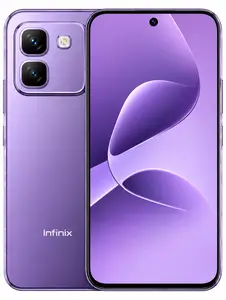 Best match
Infinix Note 60 Pro
8GB RAM | 256GB
- 6.78" OLED · 144Hz
- Snapdragon 7s Gen 4
- 50MP
- 6,500mAh · 90W
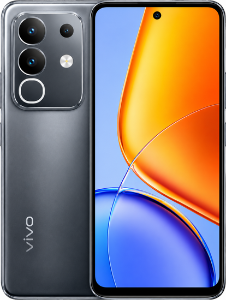 Best match
Vivo Y29
6GB RAM | 128GB
- 6.68" LCD · 120Hz
- Snapdragon 685
- 50MP
- 6,500mAh · 44W
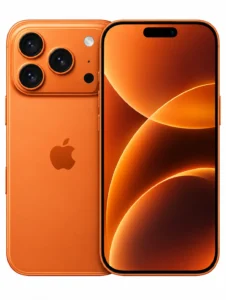 Best match
iPhone 17 Pro
12GB RAM | 256GB
- 6.3" OLED · 120Hz
- A19 Pro
- 48MP · 4x zoom
- 3,998mAh · 40W
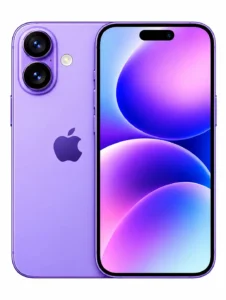 Best match
Apple iPhone 17
8GB RAM | 256GB
- 6.3" OLED · 120Hz
- A19
- 48MP
- 3,692mAh · 40W
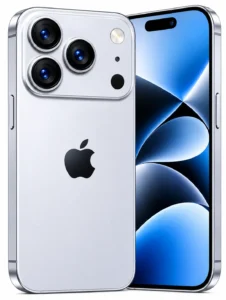 Best match
Apple iPhone 17 Pro Max
12GB RAM | 256GB
- 6.9" OLED · 120Hz
- A19 Pro
- 48MP · 4x zoom
- 4,823mAh · 40W
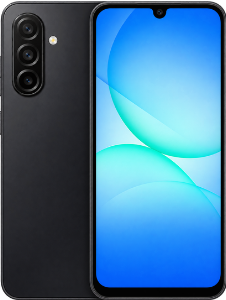 Best match
Samsung Galaxy A17
4GB RAM | 128GB
- 6.7" OLED · 90Hz
- Helio G99
- 50MP
- 5,000mAh · 25W
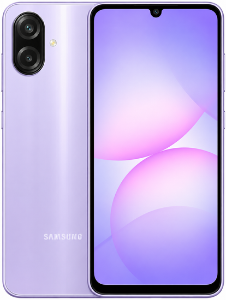 Best match
Samsung Galaxy A07
4GB RAM | 64GB
- 6.7" LCD · 90Hz
- Helio G99
- 50MP
- 5,000mAh · 25W
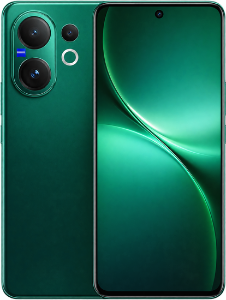 Best match
Vivo V60
8GB RAM | 128GB
- 6.77" OLED · 120Hz
- Snapdragon 7 Gen 4
- 50MP
- 6,500mAh · 90W
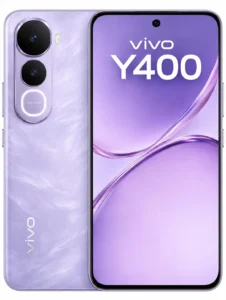 Best match
Vivo Y400
8GB RAM | 128GB
- 6.67" OLED · 120Hz
- Snapdragon 4 Gen 2
- 50MP
- 6,000mAh · 90W
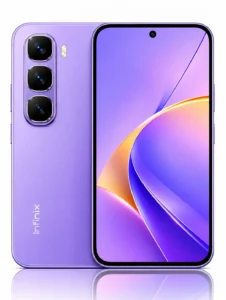 Best match
Infinix Hot 60 Pro
8GB RAM | 128GB
- 6.78" OLED · 144Hz
- Helio G200
- 50MP
- 5,160mAh · 45W
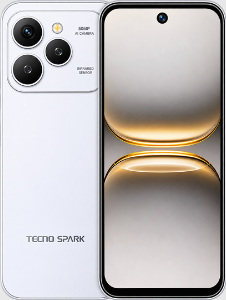 Best match
Tecno Spark 40
4GB RAM | 128GB
- 6.67" LCD · 120Hz
- Helio G81
- 50MP
- 5,200mAh · 45W
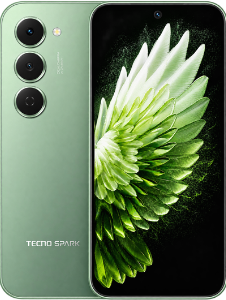 Best match
Tecno Spark 40 Pro
8GB RAM | 128GB
- 6.78" OLED · 144Hz
- Helio G100 Ultimate
- 50MP
- 5,200mAh · 45W
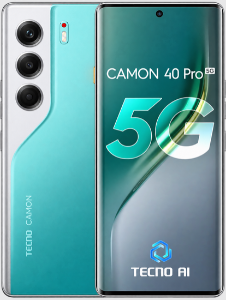 Best match
Tecno Camon 40 Pro
8GB RAM | 256GB
- 6.78" OLED · 120Hz
- Helio G100 Ultimate
- 50MP
- 5,200mAh · 45W
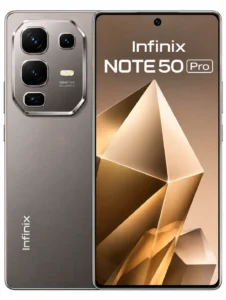 Best match
Infinix Note 50 Pro
8GB RAM | 256GB
- 6.78" OLED · 144Hz
- Helio G100 Ultimate
- 50MP
- 5,200mAh · 90W
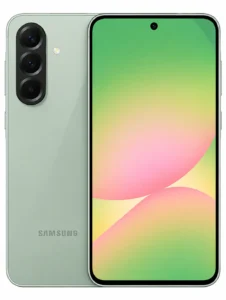 Best match
Samsung Galaxy A56
6GB RAM | 128GB
- 6.7" OLED · 120Hz
- Exynos 1580
- 50MP
- 5,000mAh · 45W
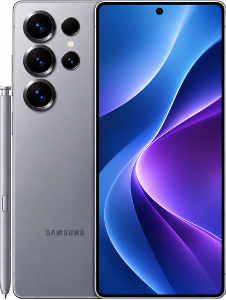 Best match
Samsung Galaxy S25 Ultra
12GB RAM | 256GB
- 6.9" OLED · 120Hz
- Snapdragon 8 Elite
- 200MP · 5x zoom
- 5,000mAh · 45W
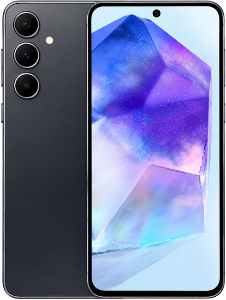 Best match
Samsung Galaxy A55
8GB RAM | 128GB
- 6.6" OLED · 120Hz
- Exynos 1480
- 50MP
- 5,000mAh · 25W
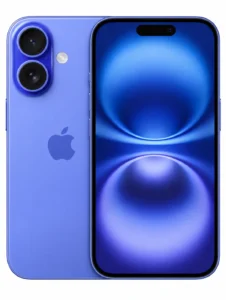 DiscontinuedBest match
iPhone 16
8GB RAM | 128GB
- 6.1" OLED
- A18
- 48MP
- 3,561mAh · 25W
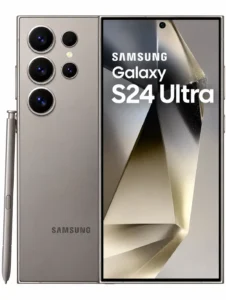 DiscontinuedBest match
Samsung Galaxy S24 Ultra
12GB RAM | 256GB
- 6.8" OLED · 120Hz
- Snapdragon 8 Gen 3
- 200MP · 5x zoom
- 5,000mAh · 45W
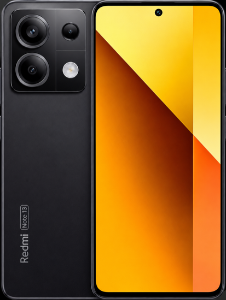 Best match
Redmi Note 13
6GB RAM | 128GB
- 6.67" OLED · 120Hz
- Snapdragon 685
- 108MP
- 5,000mAh · 33W
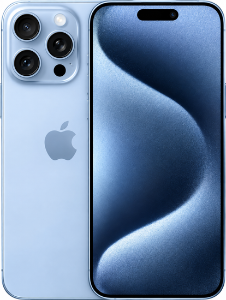 DiscontinuedBest match
iPhone 15 Pro Max
8GB RAM | 256GB
- 6.7" OLED · 120Hz
- A17 Pro
- 48MP · 5x zoom
- 4,441mAh
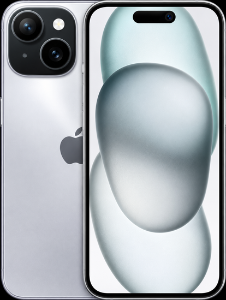 Best match
iPhone 15
6GB RAM | 128GB
- 6.1" OLED
- A16 Bionic
- 48MP
- 3,349mAh · 20W
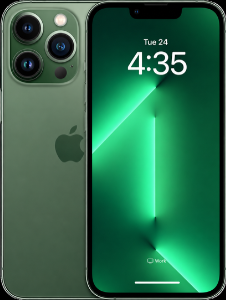 DiscontinuedBest match
iPhone 13 Pro Max
6GB RAM | 128GB
- 6.7" OLED · 120Hz
- A15 Bionic
- 12MP · 3x zoom
- 4,352mAh · 20W
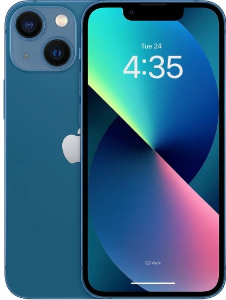 Best match
iPhone 13
4GB RAM | 128GB
- 6.1" OLED
- A15 Bionic
- 12MP
- 3,240mAh · 20W
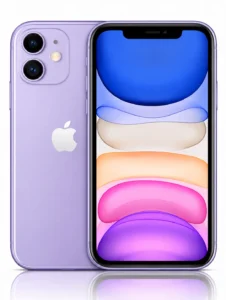 DiscontinuedBest match
iPhone 11
4GB RAM | 64GB
- 6.1" LCD
- A13 Bionic
- 12MP
- 3,110mAh · 18W
No phones match these filters yet.
How to use the phone finder
- Pick your country. Prices switch to your currency and each country gets its own budget ranges, such as ₨100,000 to ₨200,000 in Pakistan or ₹30,000 to ₹50,000 in India.
- Set your budget. Tap a price range, or type your own minimum and maximum and press Go.
- Add the specs you care about. Every option shows how many phones match. Options with no matches turn grey, so a search never ends on an empty page by accident.
- Sort the results. Sort by newest, price, expert rating, battery, camera, charging speed, screen size or weight.
- Compare or share. Tap + Compare on up to 3 phones to see them side by side. Your filters stay in the page link, so you can copy it and send your shortlist to a friend.
Want a simple list without all the filters? Browse all phones by brand and budget.
Not sure what you need? Use Help me choose
Help me choose asks 3 questions: your budget in local currency, what matters most to you (camera, battery, speed, small size or lowest price), and whether you want Android or an iPhone. The phone finder keeps the phones that fit your budget and OS, ranks them by your top priority and marks the first one as Best match.
You can change any filter afterwards. The quiz only sets a starting point.
Which specs matter when you use a phone finder
Spec sheets are long. These are the lines that change how a phone feels to use, along with how the finder reads each one.
Price and budget
We list prices in local currency: the official launch price or the price at major retailers in each country. A phone without a price in your country shows Not listed yet instead of a converted figure. Prices move with sales, taxes and exchange rates, so check the store before you pay.
Chipset (processor)
The chipset decides how fast apps open, how well games run and how long the phone stays quick. The Galaxy S26 Ultra uses the Snapdragon 8 Elite Gen 5 and the iPhone 17 Pro Max uses the Apple A19 Pro. If chip names mean little to you, sort by Expert rating instead.
RAM and storage
RAM keeps apps open in the background. Storage holds your photos, videos and apps. Most flagships have no memory card slot, so you can’t add storage later. If you shoot a lot of 4K video, start at 256 GB. The finder reads the biggest model a phone comes in, so check the phone page for each version and its price.
Camera and zoom
Megapixels tell you how much detail the main camera captures. Zoom decides what you can shoot from far away. Optical zoom uses a separate telephoto lens and keeps the detail, while digital zoom crops the photo. This phone finder counts optical zoom only, so a phone that advertises 100x Space Zoom is filtered by its real telephoto lens. The Galaxy S26 Ultra has a 5x periscope lens and the iPhone 17 Pro Max has a 4x telephoto. Our Galaxy S26 Ultra vs iPhone 17 Pro Max comparison goes deeper on both cameras.
Battery and charging
Battery size in mAh tells you how much charge the phone holds. Charging speed in watts tells you how fast it fills back up. The Galaxy S26 Ultra pairs a 5,000 mAh battery with 60W wired charging and reaches 75% in 30 minutes. The iPhone 17 Pro Max has a 4,823 mAh battery in its SIM model and reaches 50% in 20 minutes with a 40W adapter.
Display
Screen size decides how the phone sits in your hand. The finder groups phones as compact (under 6.3 inches), mid-size (6.3 to 6.7 inches) and large (6.7 inches and up). OLED panels show deeper blacks than LCD, and a 120Hz refresh rate makes scrolling look smoother than a 60Hz screen.
Water resistance: IP67 vs IP68
IP ratings come from the IEC 60529 standard. IP67 means the phone is dust tight and survives 1 metre of fresh water for 30 minutes. IP68 means it handles water deeper than 1 metre, with the exact depth and time set by the brand. Samsung rates the Galaxy S26 Ultra for 1.5 metres for 30 minutes, and Apple rates the iPhone 17 Pro Max for 6 metres for 30 minutes.
Software updates
Updates keep a phone secure and add new features. Samsung promises 7 years of OS and security updates on its Galaxy S flagships, starting with the Galaxy S24. Google promises 7 years starting with the Pixel 8. Apple does not promise a fixed number of years, so iPhones show No fixed number in the finder and don’t appear under the 5+ years filter.
Extras worth checking
- eSIM lets you add a mobile plan without a physical SIM card.
- NFC lets you pay by tapping your phone at the till.
- A stylus such as Samsung’s S Pen helps with notes, signatures and photo edits.
- Headphone jack and memory card slot: the Galaxy S26 Ultra and iPhone 17 Pro Max have neither, so filter for them if you need them.
Popular phone finder searches
Each link opens the phone finder with the filters already set.
- Samsung phones with prices in Pakistan
- iPhones with prices in India
- Phones with 5x periscope zoom
- Phones with 7 years of updates
- Phones with a stylus
- Phones that record 8K video
- Fastest charging phones
- Phones in Nigeria, lowest price first
Looking for a lost phone instead?
This phone finder helps you choose a new phone. It can’t locate a lost one. To find a lost or stolen phone, sign in with the same account you used on it: Google Find Hub (formerly Find My Device) for Android phones, SmartThings Find for Samsung Galaxy phones, and Apple Find My for iPhones.
Where our phone data comes from
Specs come from each brand’s official spec sheet and are cross-checked with GSMArena. When the two disagree, we use the brand’s own figure.
Prices are the official launch price or the price at major retailers in each country, shown in local currency. We review them regularly, and every phone page notes that store prices can differ.
The finder reads optical zoom only, counts the biggest RAM and storage model, and marks a phone Discontinued once its brand stops selling it. Apple removed the iPhone 17 Pro Max from its online store on 9 September 2026, when the iPhone 18 Pro launched, so it carries that label even though some shops still have stock.
Phone finder FAQ
What is a phone finder?
A phone finder is a search tool that filters a list of phones by the price and specs you choose, so you only see phones that fit. This one also shows local prices for 109 countries and lets you compare phones side by side.
Is this phone finder free?
Yes. There is no sign-up and no email needed.
Which countries does the phone finder show prices for?
109 countries. Prices appear in Philippine pesos (₱), Indian rupees (₹), Pakistani rupees (₨), Bangladeshi taka (৳), Nigerian naira (₦) and Indonesian rupiah (Rp).
How do I compare phones?
Tap + Compare on up to 3 phones, then tap Compare in the bar at the bottom of the screen. The table puts every spec side by side and marks the best value in each row with a tick.
Why are some filter options greyed out?
A grey option has no matching phones with your current filters. Remove a filter or switch country and it becomes active again.
Can I share my phone finder results?
Yes. The page link updates as you filter, so copying it saves your exact search.
How often are prices updated?
We review prices regularly. They move with sales, taxes and exchange rates, so confirm the price with the store before you buy.
Can this phone finder locate a lost phone?
No. Use Google Find Hub, Samsung SmartThings Find or Apple Find My, as listed above.
Last updated: 13 November 2026